
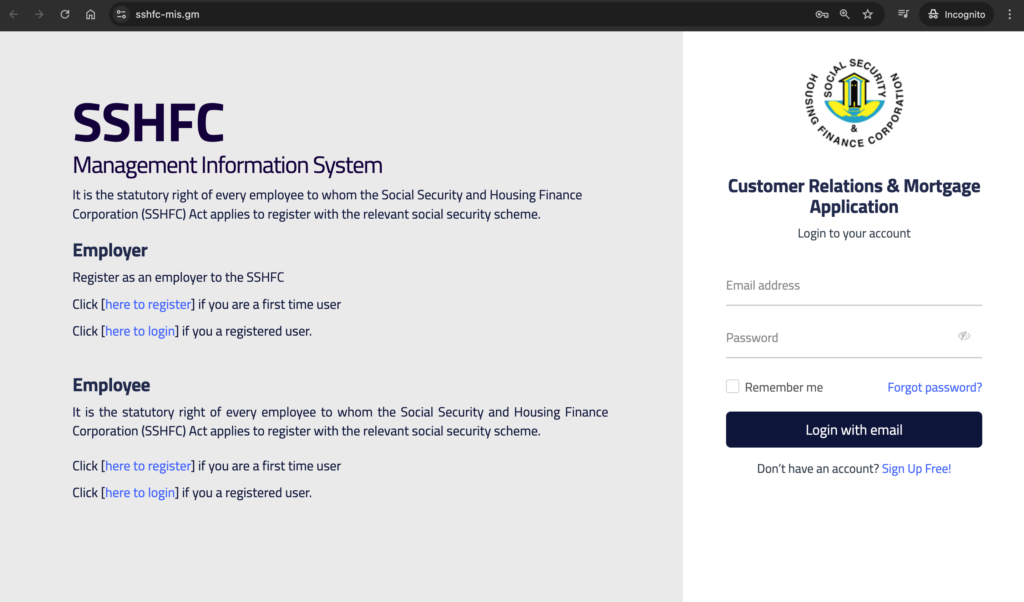
Step 1: Go to the Website: Open your browser and enter the following URL:
https://sshfc-mis.gm/
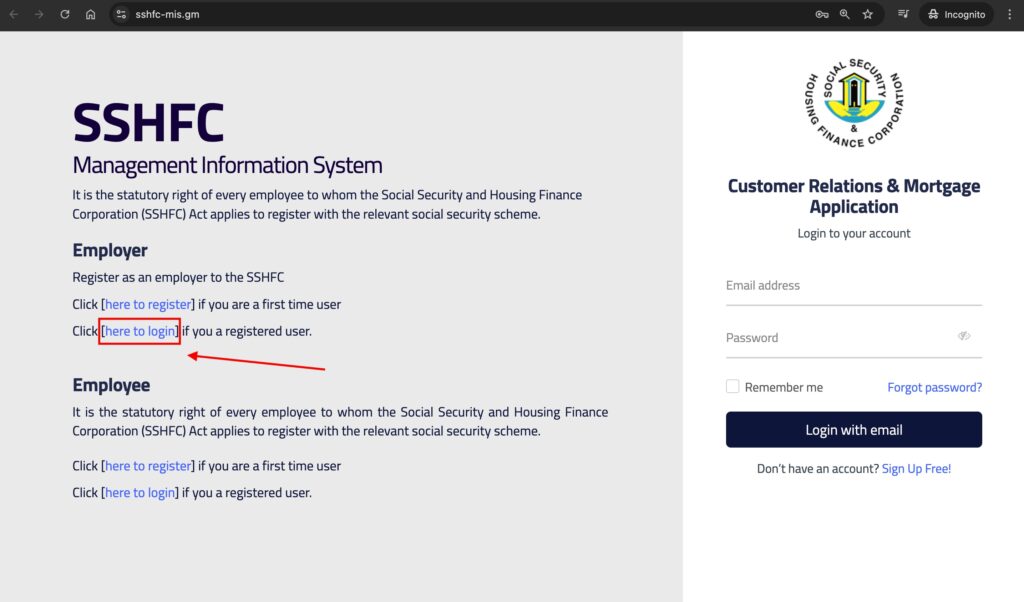
Step 2: Find the Employer Login: On the left side of the page, look for the “Employer” section.
Click on the “Here to login” link to begin the login process.
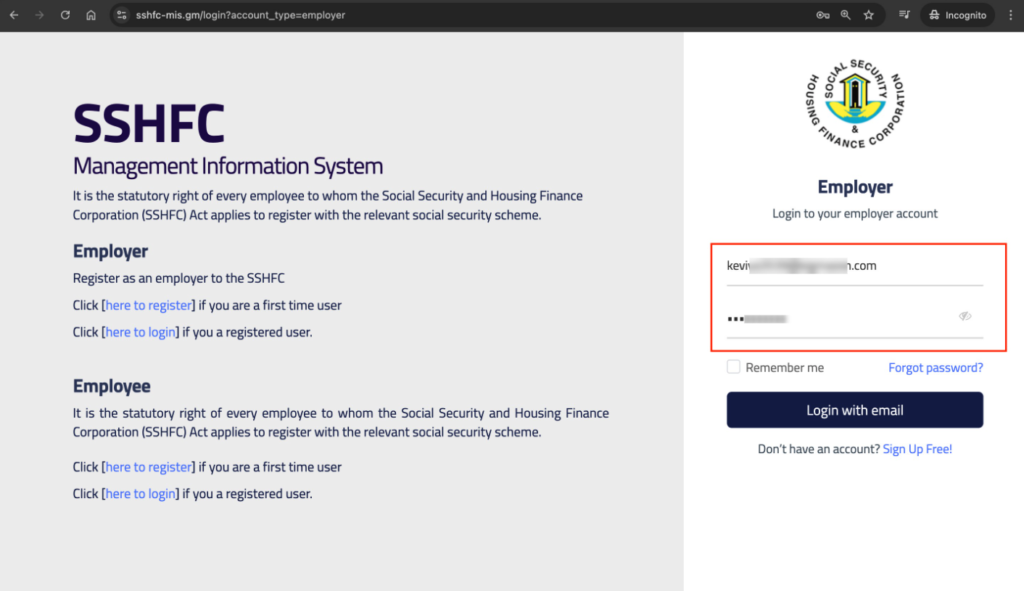
Step 3: Enter Your Credentials: On the right side of the page, you will see the login form.
Enter your user email and password in the required fields.
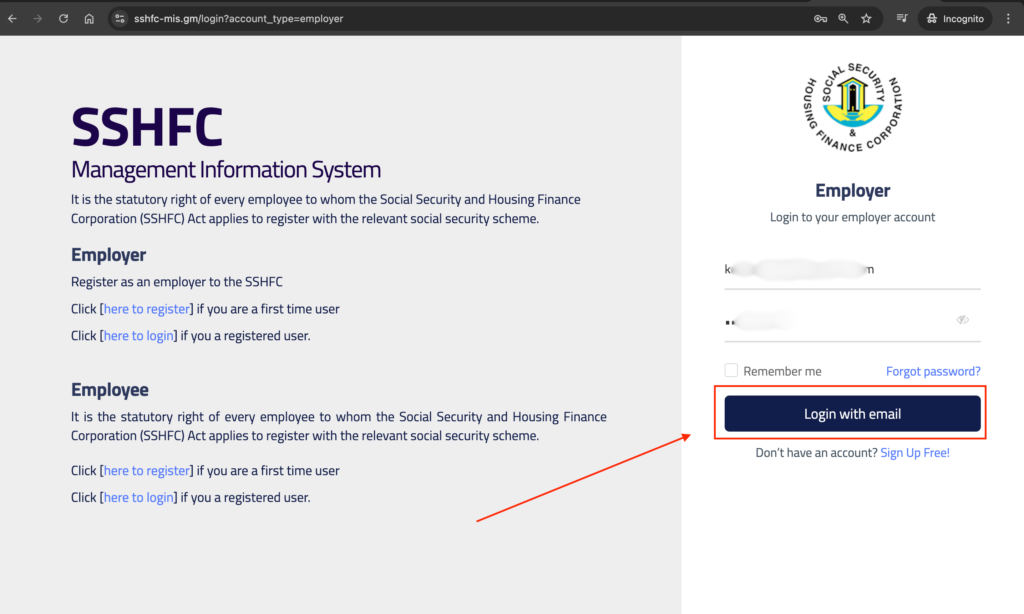
Step 3: Log In: Once you’ve entered your details, click the Login button to access the system.
After logging in successfully, you will be directed to the homepage of the SSHFC Management Information System, where you can begin managing your account.
